Fast and Simple File & Folder Protection

Share the Post:
Windows 10 has feature to protect you from Ransomware, turn it on!

Trojans

One of the worst and most malicious Trojans trolling the internet at the moment are called Ransomware.  This nasty Trojan locks up your files (using encryption) and will not give you the password until you pay a ransom.

Trojans usually arrive via email.   A brief list of the nasty Trojans are (not limited to):

VirLocker      Wannacry      Snake_Game      Xiaoba            ShellLocker      Blackclaw folder protection
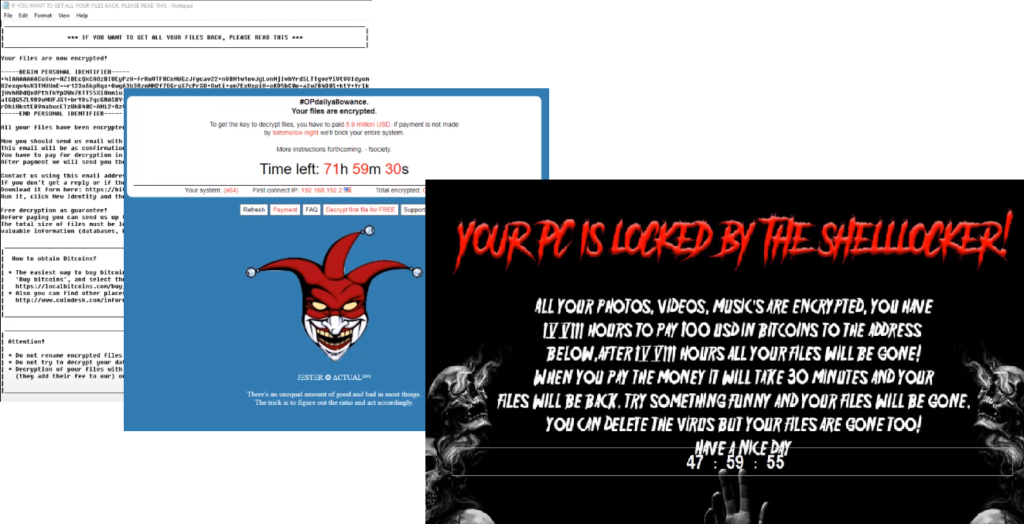
FSocietyCryptoWall      James      KillDisk      Popcorn      Scarab      Shade

File & Folder Protection

The good news is even if you get tricked into clicking/opening one of these emails, there is a good*** chance you can save your files from being locked up.

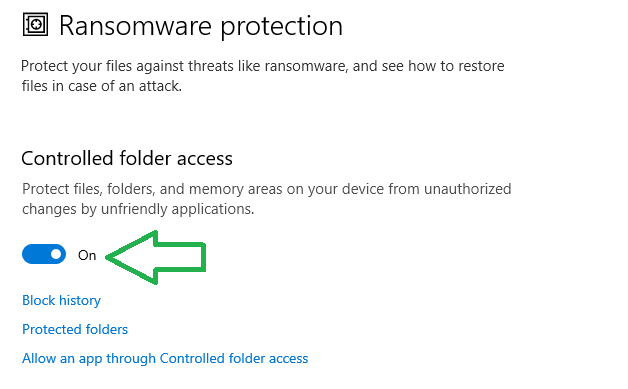
Windows 10 has a feature called ‘Controlled Folder Access’. All you have to do is turn it on.

To turn on Controlled Folder Access:

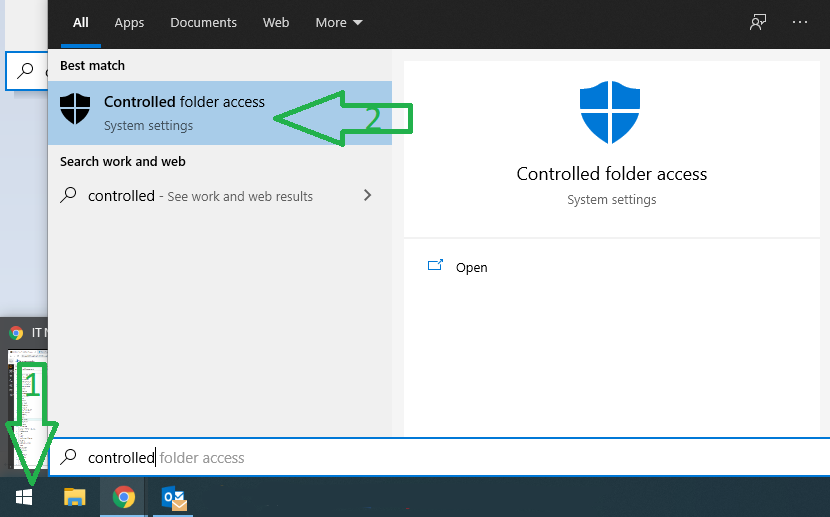
  1. Click Windows 
  2. Type Controlled Folder Accesscontrolled folder access
  3. Turn it oncontrolled folder access

***Recent test done (Jan 2021) against the listed trojans found none were able to penetrate files kept in a controlled folder.


Share the Post:

Related Posts

The aftermath analysis of the AWS global outage from a Network 10 News+ interview with...
cybersecurity challenges in the healthcare industry in Australia

In today’s digital-first world, the healthcare sector has become one of the most attractive targets...

About IT Networks

At IT Networks, we provide managed IT services designed to keep your business running smoothly and securely. From handling day-to-day IT operations to implementing robust cyber security solutions, we ensure your technology works seamlessly so you can focus on what matters most—growing your business. Let us streamline your IT infrastructure, enhance your security posture, and help you drive greater success.