Fix Azure AD Connect Sync Errors Detected

Share the Post:
Here is a quick guide on fixing the most common Azure AD Connect sync issue.

Azure Sync

The most common error after installing and running Azure AD Connect (Azure AD Sync) is the dreaded “Azure AD Connect Sync errors detected”.  This alert will usually come from an email similar to the one below:
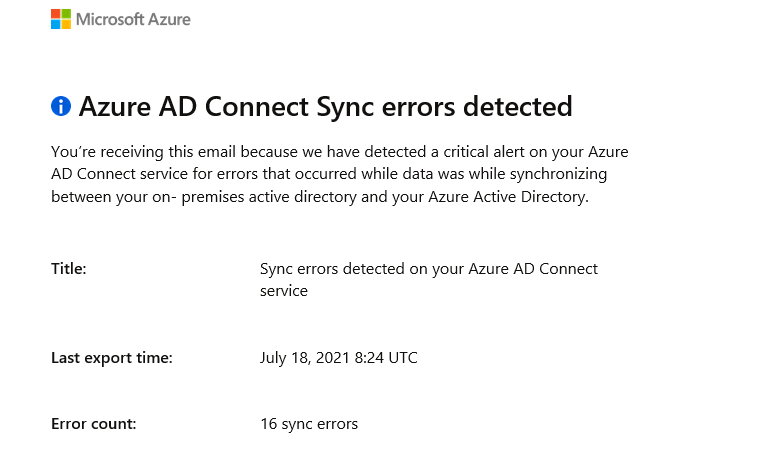
azure sync errors detected

Fixing it is however very easy.

Check Azure AD for error:

  1. Log into the Azure Portal 
  2. Click on Azure Active DirectoryAzure AAD
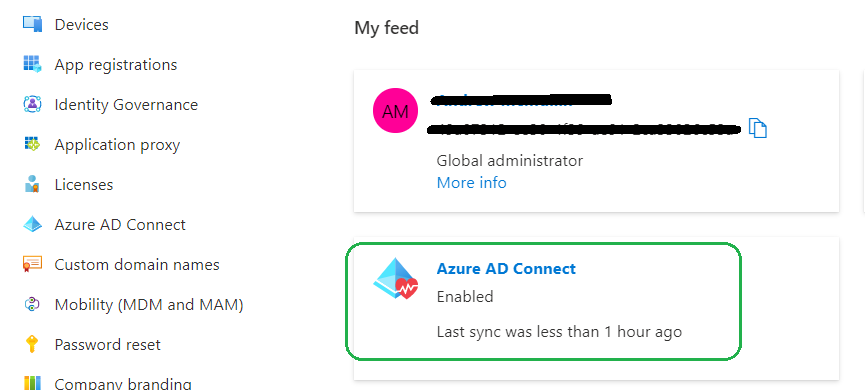
  3. Under Feeds, click Azure AD ConnectAzure AD Connect
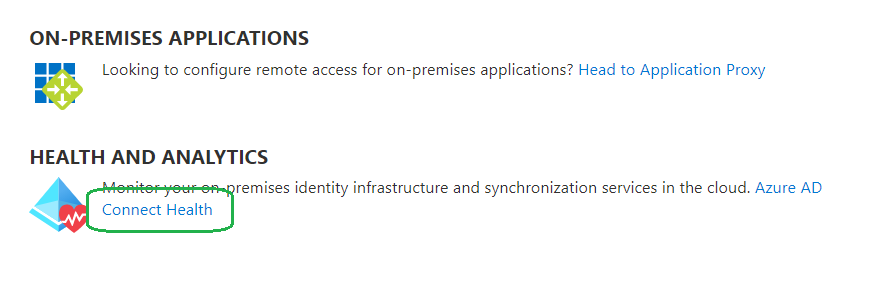
  4. Under Health and Analytics, click Connect Health > then Sync ErrorsConnect Health

In this example, we can see the Error is due to an Existing Admin Role ConflictExisting Admin Role
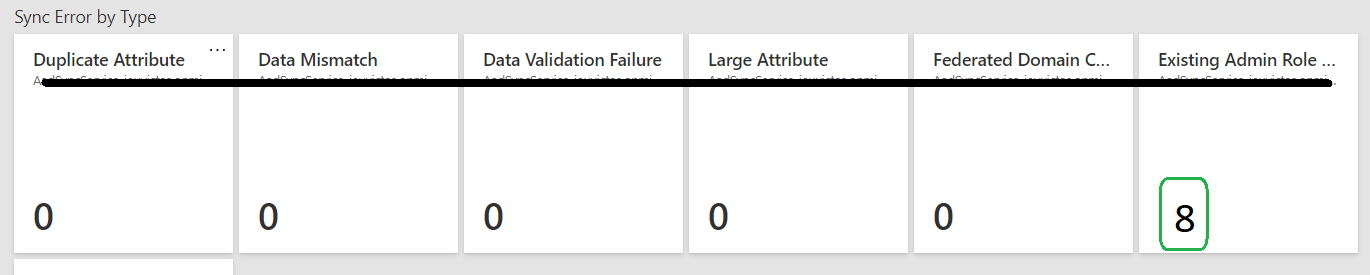
To correct this issue, simply remove the users ‘Administrative’ roles.  Wait for the next Sync period to occur, then you can add the Admin roles back to the user/s.

Hope this helped someone out there!

Share the Post:

Related Posts

The aftermath analysis of the AWS global outage from a Network 10 News+ interview with...
cybersecurity challenges in the healthcare industry in Australia

In today’s digital-first world, the healthcare sector has become one of the most attractive targets...

About IT Networks

At IT Networks, we provide managed IT services designed to keep your business running smoothly and securely. From handling day-to-day IT operations to implementing robust cyber security solutions, we ensure your technology works seamlessly so you can focus on what matters most—growing your business. Let us streamline your IT infrastructure, enhance your security posture, and help you drive greater success.