How to Fix Azure Firewall Provisioning State Failed Error

Share the Post:
How to quickly fix Azure S2S VPNs that are showing as Failed, when they are actually working!?

Azure S2S

Here is a quick guide on how to fix Azure S2S (Site-2-Site) VPNs that are showing as ‘Failed’ when in actual fact they are operational.Azure S2S
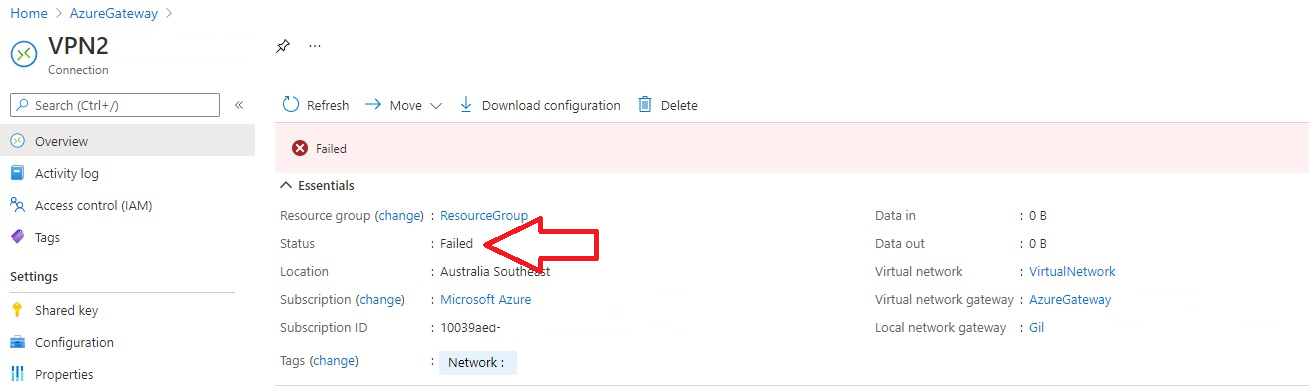
The S2S VPN is usually marked failed when its provisioning state is unknown or failed. A change to the VPN was made that didn’t go through completely is the usual cause.

The Fix is easy:

  1. Log into Azure using Powershell and connect the AzAccounts module
    Set-ExecutionPolicy Unrestricted
    Import-Module Az.Accounts
    Connect-AzAccount
    s2s vpn
  2. Get the current status of the S2S VPN
    Get-AzVirtualNetworkGatewayConnection
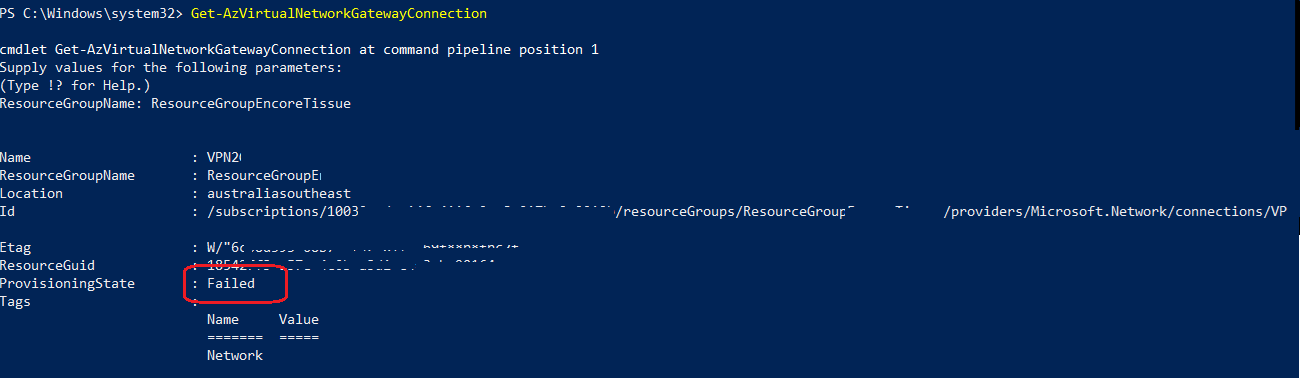
    s2s vpn
  3. Re-Set (not reset) the Gateway
    $Gateway – Get-AzVirtualNetworkGatewayConnection -Name xxxS2sVPNxxx -ResourceGroupName xxxResourceGroupxxx
    Set-AzVirtualNetworkGatewayConnection -VirtualNetworkGatewayConnection $Gateway

    s2s vpn
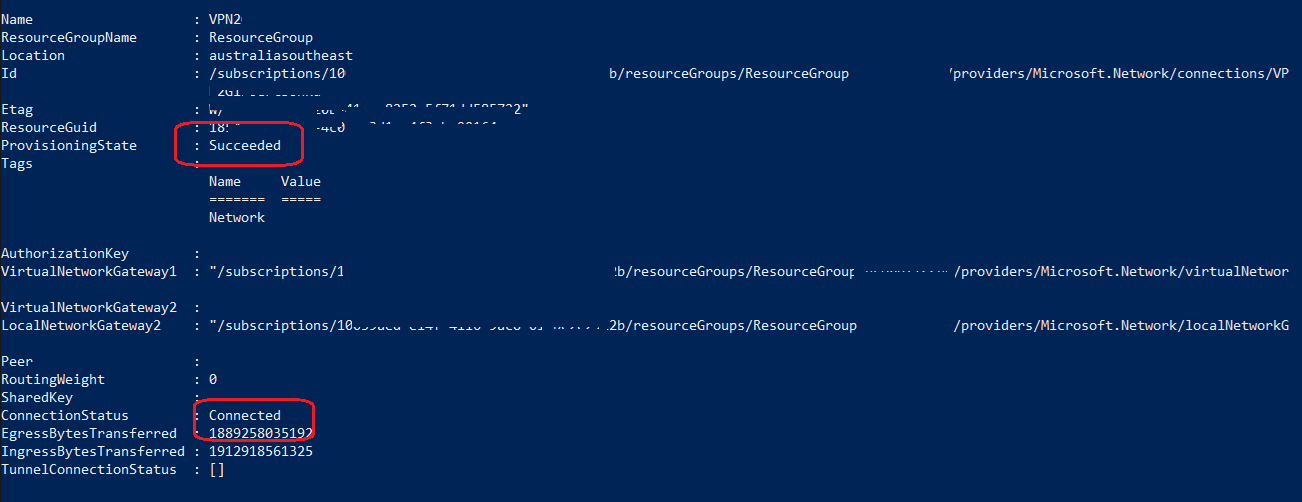
  4. Check the status of the S2S VPN again
    s2s vpn
  5. Happy days

For more information check out: 

Get-AzVirtualNetworkGatewayConnection

Set-AzVirtualNetworkGatewayConnection

Share the Post:

Related Posts

The aftermath analysis of the AWS global outage from a Network 10 News+ interview with...
cybersecurity challenges in the healthcare industry in Australia

In today’s digital-first world, the healthcare sector has become one of the most attractive targets...

About IT Networks

At IT Networks, we provide managed IT services designed to keep your business running smoothly and securely. From handling day-to-day IT operations to implementing robust cyber security solutions, we ensure your technology works seamlessly so you can focus on what matters most—growing your business. Let us streamline your IT infrastructure, enhance your security posture, and help you drive greater success.